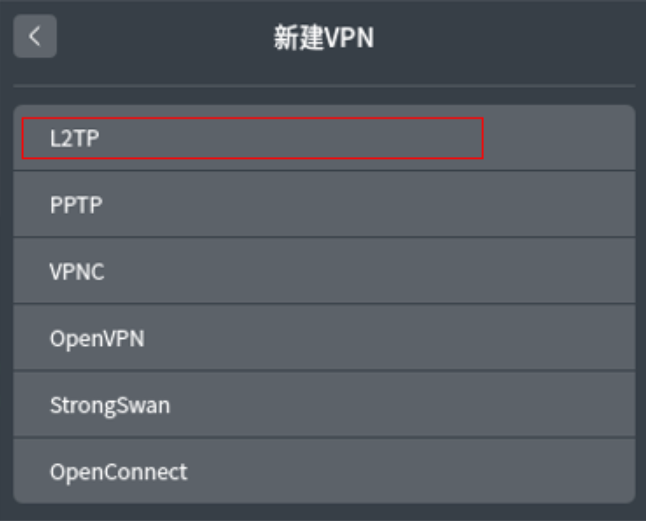
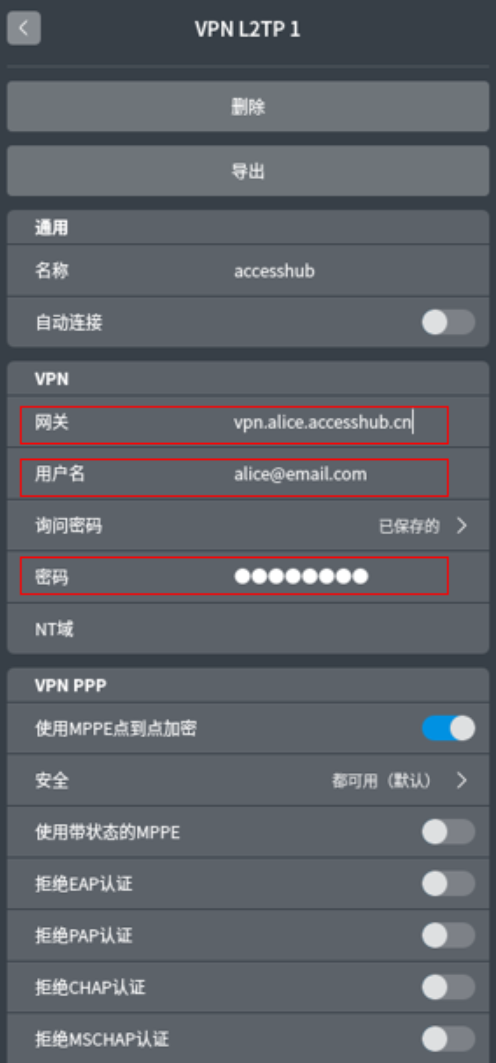
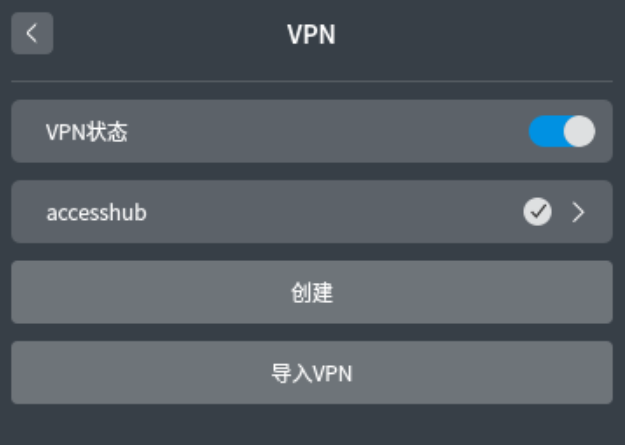
Docs 常见问题 VPN客户端设置 Deepin Linux接入指南 Deepin Linux接入指南 Setp1:控制中心->网络 ->VPN->点击创建->选L2TP Setp2:填网关地址,用户名,密码,其它配置项均使用默认配置无需修改,点击保存 Setp3:点击VPN状态,完成连接。 最后更新于 2025年9月2日 10:36Android手机接入指南MAC接入指南(发送全流量)